Chamberlain Wall Mount vs LiftMaster 98022: Which Wins? (November 2026)
For Chamberlain vs LiftMaster wall mount openers, choose Chamberlain for included battery backup and remote LED lighting. Choose the LiftMaster 98022 if your door meets its fit requirements and you want myQ with Security 2.0.
On this page (13 sections)
- Chamberlain vs LiftMaster wall mount: which should you choose?
- Who should buy Chamberlain, and who should skip it?
- Who should buy LiftMaster, and who should skip it?
- Will a wall mount opener solve your ceiling-space problem?
- What should you check before arranging installation?
- What happens during a power outage?
- How do their smart controls compare?
- Which opener makes sense for a quieter garage?
- When is the Genie B6172H a better alternative?
- What should happen before the installer leaves?
- How do you care for a wall mount opener?
- Which buying mistakes should you avoid?
- Chamberlain vs LiftMaster wall mount: the final decision
The Chamberlain vs LiftMaster wall mount decision favors Chamberlain if you want included battery backup and remote LED lighting with myQ control. The LiftMaster 98022 makes sense when its door requirements match your garage and its myQ and Security 2.0 features meet your needs.
Door compatibility comes first. Neither opener is a cure for a binding door, worn hardware or a spring system that doesn't suit a jackshaft installation.
Both move the opener off the ceiling and beside the door. That can clear the center of your garage for storage or a cleaner layout, but it doesn't remove the door's own tracks.
 Best for outage access
Chamberlain wall mount myQ opener with battery backup
 Best for compatible myQ garages
LiftMaster 98022 Premium Series jackshaft opener
Chamberlain vs LiftMaster wall mount: which should you choose?
Choose Chamberlain for its included equipment; choose LiftMaster when you've confirmed the fit and know which accessories your installation needs. The useful difference is what each option solves in your garage, rather than the name on the cover.
Chamberlain is the more straightforward starting point for a buyer replacing an older opener who wants outage access, phone control and separate garage lighting. Those needs are covered together without making backup power a separate question.
LiftMaster deserves consideration when an installer has confirmed a suitable door and you want its connected controls. Ask for a complete equipment breakdown so you can compare finished installations rather than motor units alone.
Skip either choice if your main goal is simply to add phone control to a working opener. Replacing the whole drive system may be more work than your goal requires.
Which Chamberlain vs LiftMaster wall mount fits your door?
The LiftMaster requires a front-mount torsion bar system and excludes roll-up doors, low-headroom track and Wayne Dalton Torquemaster. Any one of those exclusions is a reason to stop considering it for that door.
Chamberlain describes its wall mount design as suitable for demanding doors, including some high-lift or low-headroom arrangements. That broad claim still needs to match the exact spring, track and shaft requirements in its installation manual.
Don't confuse low ceiling height with a specific low-headroom track setup. Photos of the springs, shaft and upper tracks help an installer identify what you actually have.
Our guide to what a jackshaft garage door opener is explains the layout. For an unusual door, use our door-specific opener guide to prepare the details an installer will need.
Who should buy Chamberlain, and who should skip it?
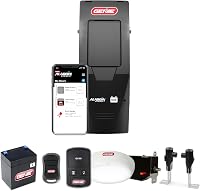
Buy Chamberlain if you want a complete set of everyday controls and lighting for a compatible garage. It includes a motion-sensing wall control, remote control and smart LED light alongside the operator and backup system.
That package suits a household where several people use the garage differently. A driver can use the remote, someone entering from the house can use the wall control, and phone access remains another option.
The separate light also matters if your old ceiling opener supplies most of the garage's illumination. Plan its position around the doorway, walking route and work area rather than assuming the motor's location is the best place for light.
Skip Chamberlain if you haven't confirmed that its hardware fits your door. Also reconsider a full replacement if your current opener works well and ceiling space isn't a problem.
Who should buy LiftMaster, and who should skip it?
Buy LiftMaster when the door fit is confirmed and you want myQ with Security 2.0. Its P3 motor is part of the package, but the motor name doesn't guarantee a lifting advantage over Chamberlain.
It suits a buyer who can review the whole installation with an installer before ordering. Confirm the controls, light, lock equipment and any backup provision that will actually be supplied.
Skip it immediately if your garage has one of the excluded door arrangements. A familiar brand or a matching app won't overcome a mechanical mismatch.
Also pause if outage access is essential and the equipment package remains unclear. Resolve that before buying rather than planning around an assumed feature.
For a closer look at this specific model, read our LiftMaster 98022 review. Use it after the fit check, when you're deciding whether its features suit your routine.
Will a wall mount opener solve your ceiling-space problem?
A wall mount opener clears the central opener rail, but the door still needs room to travel. Storage, shelves and lights must stay outside the moving door's path and away from its hardware.
Look at the garage with the door both open and closed. A storage rack that clears a closed door may interfere with its upper section or tracks as it rises.
Measure the wall area beside the shaft, including space needed for installation and future service. A cabinet, pipe or shelf can block access even when the opener's case appears to fit.
If freeing the ceiling isn't a strong need, compare the installation work with a conventional opener. Our wall mount vs belt drive comparison helps you decide whether changing the layout is worthwhile.
What should you check before arranging installation?
Have the door's condition and fit checked before replacing the opener. A motor should move a properly balanced door, not compensate for damaged tracks, weak springs or binding rollers.
Ask a qualified garage door technician to assess any door that rises unevenly, drops, sticks or has loose cables. Don't adjust torsion springs, cable drums or spring brackets yourself.
Use this checklist before you approve the equipment:
- Identify the door type, spring system and track arrangement.
- Confirm the shaft and mounting clearances in the exact model's manual.
- Check door dimensions and weight against the approved limits.
- Locate a suitable outlet and plan the controls and lighting.
- Check the route for safety-sensor wiring and other required equipment.
- Confirm how you'll enter and release the door during a fault.
Replacing an overhead opener can also leave old brackets, wiring and ceiling fixtures to address. Include that work in the installation plan so the finished garage stays usable.
What happens during a power outage?
Chamberlain includes integrated battery backup, so it's the clearer choice here when operating the door during an outage is a priority. Confirm the exact LiftMaster backup equipment before relying on it for the same job.
Backup power for the motor and internet access are separate issues. Your router or home internet connection may be unavailable during an outage even when the opener can still move the door.
Don't assume every light or connected feature will work the same way on backup power. Follow the opener's instructions for supported functions, battery care and replacement.
Learn the manual-release procedure before you need it, and keep any required release route accessible. If the garage has no other entrance, discuss outside access with the installer.
Our guide to whether you need battery backup on a garage door opener helps you weigh outage access against how your household uses the garage.
How do their smart controls compare?
Both main choices use Wi-Fi and myQ, so app preference alone won't settle this comparison. Chamberlain provides built-in Wi-Fi, while LiftMaster also includes Wi-Fi connectivity.
Check your Wi-Fi signal where the opener will sit before installation day. A strong signal in the kitchen doesn't guarantee reliable coverage beside the garage door.
Set up the account with an email address you expect to keep, secure it, and arrange access for other household members through the supported sharing options. Avoid making one person's phone the only practical control.
Decide which alerts are useful, such as a reminder about an open door, rather than enabling every notification without a plan. Phone control is most useful when it answers a real daily need.
If voice control matters, read whether myQ works with Alexa before choosing around that expectation. Our smart garage door opener guide covers other connected choices.
Which opener makes sense for a quieter garage?
Neither model earns a clear noise win from the available facts. Both brands describe quiet operation, and the wall mount layout removes the central overhead opener rail.
Chamberlain describes its operation as low vibration, while LiftMaster emphasizes reduced sound and vibration through the ceiling. Those claims don't provide a measured side-by-side comparison.
The door itself can remain a major source of sound. Worn rollers, loose hardware or a door that binds can make a new opener seem disappointing.
For an attached garage, arrange needed door maintenance before judging the upgrade. Ask the installer to check the mounting and door movement rather than choosing solely around the phrase “ultra-quiet.”
When is the Genie B6172H a better alternative?
Choose Genie if Aladdin Connect better suits your smart home and the door meets its limits. It supports compatible residential doors up to 14 ft high and 850 lb, with a maximum area of 180 sq ft.
All limits apply together. Staying below the weight limit doesn't excuse a door that exceeds the height or area limit.
Genie names Alexa, Google Assistant, SmartThings and Amazon In-Garage Delivery among its supported platforms. Its package includes battery backup, a wireless wall console, wireless LED light, pre-programmed 3-button remote and automatic door lock.
Its Safe-T-Pulse system checks for slack in the cables electronically. That feature doesn't replace the need for a sound, correctly installed door.
Skip Genie for extension springs, one-piece doors, reverse-wound springs or low-headroom outside hookup. It also requires a standard outlet within 6 ft, so include outlet placement in your fit check.
What should happen before the installer leaves?
Ask for a full operating demonstration and a clear handover. Everyone who regularly uses the garage should understand the basic controls, warning signals and manual-release procedure.
Have the installer verify travel limits, safety sensors and the required reversal checks according to the manual. Don't treat a single successful opening cycle as a complete setup.
Walk through the garage after dark or with the main lights off to judge the light placement. Make sure you can see the path from the vehicle to the house and reach the wall control easily.
Confirm app access, remote operation and any included backup functions. Keep the manual, model details and service contact together so a future fault doesn't begin with a search for basic information.
How do you care for a wall mount opener?
Follow the maintenance schedule for both the opener and the door. The springs, tracks, rollers and cables still need attention after the ceiling rail is gone.
Keep the safety sensors clean, aligned and clear of stored items. If the door stops or reverses unexpectedly, inspect for an obstruction and follow the troubleshooting steps rather than repeatedly forcing another cycle.
Watch for frayed cables, uneven travel, new scraping sounds or a change in how the door closes. Stop using a damaged or badly moving door and arrange service.
Use only the lubrication points and materials allowed by the door and opener instructions. Keep track of backup-battery care, and don't ignore a battery warning simply because household power is working.
Which buying mistakes should you avoid?
Avoid choosing by brand, app name or a single lifting claim. The right opener must fit the door, include the equipment you need and suit your garage layout.
Don't read an opener's shipping weight or a size field as the weight of door it can lift. In particular, don't use a 36 lb figure associated with the Chamberlain as a door-capacity limit.
Compare complete installation quotes, including necessary door repairs, electrical work, controls and lighting. A motor-only comparison can hide work that changes which option makes sense.
Don't assume an old remote, keypad or light will work with the replacement. Confirm accessory compatibility individually before deciding what you can keep.
If you're still deciding between drive types, our garage door opener guide explains the broader choices before you commit to wall mounting.
Chamberlain vs LiftMaster wall mount: the final decision
Pick Chamberlain when its fit is confirmed and you want the included backup, controls and lighting. Pick LiftMaster when your door meets its requirements and you've confirmed that the full installation package covers your needs.
Choose Genie instead if its smart home connections solve a specific need and every door limit checks out. Keep your current opener in consideration if the only missing feature is phone access.
Your next step is to identify the spring and track setup, measure the mounting area and get a complete equipment plan. Then use our best wall mount garage door openers guide to compare the options that actually fit.
Frequently asked questions
Is Chamberlain or LiftMaster better for a wall mount opener?
Chamberlain is the stronger choice if you want included battery backup and remote LED lighting alongside myQ. LiftMaster suits a confirmed compatible garage where its controls meet your needs.
Neither brand wins on fit alone, so have the door's spring system, track arrangement and mounting space checked first.
Does the LiftMaster 98022 have battery backup?
Confirm the backup equipment included with the exact LiftMaster 98022 package before relying on it for outage access. A CR2 battery requirement doesn't mean the door motor has backup power.
The Chamberlain and Genie compared here both include battery backup, making that part of the choice clearer.
Will a LiftMaster 98022 work with a low-headroom track?
No, the LiftMaster 98022 excludes low-headroom track. It also excludes roll-up doors and Wayne Dalton Torquemaster and requires a front-mount torsion bar system.
A low garage ceiling alone doesn't identify the track type, so ask a qualified installer to check the actual hardware before choosing an opener.
Do both wall mount openers use myQ?
Yes, both the Chamberlain and LiftMaster use Wi-Fi and myQ for connected control. That shared platform doesn't mean every accessory or outside smart home connection is identical.
If your current opener still works well, our guide to adding Wi-Fi to a garage door opener explains another route to consider.
What should I check before buying a jackshaft opener?
Check the spring system, track type, shaft access, mounting clearance and electrical outlet location against the exact installation manual. Also confirm door size, weight limits and included accessories.
Our guide to garage door openers for tall, heavy or low-headroom doors explains which door details deserve extra attention.