Is a Smart Garage Door Opener Worth It?
A smart garage door opener is worth it if you'll use remote door checks, alerts, or shared access regularly. Keep a working opener and consider a compatible add-on if connectivity is all you need.
On this page (7 sections)
- When is a smart garage door opener worth it?
- When is a smart opener not worth it?
- Which smart features make the biggest difference?
- Should you add Wi-Fi or replace the opener?
- What should you check before choosing a smart opener?
- How should you set up and care for a smart garage system?
- Which setup is worth it for your garage?
A smart garage door opener is worth it if remote door checks, alerts, or shared access solve a recurring problem. If you only use a car remote and rarely need access while away, connectivity offers less value.
The strongest reason to upgrade is a task you'll repeat: checking the door after leaving, admitting a guest, or managing access without lending a remote. Choose that task first, then decide whether you need a new opener or an accessory.
When is a smart garage door opener worth it?
A smart opener earns its place when you need garage access beyond the driveway. Door status checks help after you leave home, while individual access permissions suit households that share entry with relatives or service providers.
Is a smart opener worth it for shared access?
Yes, if people regularly need entry while you're away, separate permissions are more useful than sharing one permanent code. Remove access when it is no longer needed rather than leaving old guests connected.
The Genie StealthDrive Connect 7155 suits a replacement project where app access, an attached garage, and outage operation all matter. It combines Aladdin Connect with a steel-reinforced belt drive and integrated battery backup.
Genie designs this belt-drive model for garages attached to living spaces. Its supported smart home systems include Alexa, Google Assistant, and SmartThings.
Skip a full replacement if your existing opener works well and you only want phone access. Compare the best smart garage door openers for replacement choices, or start with garage door openers explained if drive type and power are still unclear.
When is a smart opener not worth it?
Connected features offer little value if you won't use them regularly or your garage has unreliable Wi-Fi. A working wall button and car remote may already cover your routine.
An app also means maintaining an account, managing permissions, and keeping a phone available for app-based access. Keep a suitable local control method available for household members who don't want to use a smartphone.
Don't replace a noisy or struggling system solely to gain connectivity. Door balance, worn hardware, and opener condition need attention first; adding an app won't correct a mechanical problem.
If the existing mechanism works properly, adding Wi-Fi to a garage door opener may meet your needs with less installation work.
Which smart features make the biggest difference?
Prioritize door status and access control before cameras or voice commands. Those extras are useful when they answer a separate need, such as seeing who is at the keypad.
When does a built-in camera justify an upgrade?
A camera suits buyers who want a view of garage activity, beyond knowing whether the door is open. Decide what you need to see and where it happens before choosing a camera location.
The Chamberlain 3/4 HP belt drive opener with fixed camera combines myQ remote opening and closing with a 130-degree camera for real-time viewing. Its reinforced belt drive and DC motor are designed for quiet operation near living spaces.
This model includes battery backup, a wall control, and 2 one-button remotes. Most older accessories are incompatible, so include replacement controls in your upgrade plan rather than assuming existing remotes will pair.
Choose it when you're replacing the opener and want an integrated camera. Skip it if door status alone answers your concern, and read the Chamberlain belt drive camera opener review before committing to that setup.
When is a video keypad more useful than a new opener?
A video keypad fits visitor access at the garage entrance when the existing opener can stay. It serves a different purpose from a complete replacement motor and drive system.
The myQ video keypad controls one Chamberlain, LiftMaster, or Craftsman opener made after 1993. Confirm your exact model before buying, especially if you have multiple garage doors.
Time-specific PINs suit cleaners, visiting family, or other people who need entry during set hours. Live video, two-way audio, motion detection, and notifications add ways to check activity around the entrance.
Advanced AI detection, recorded video history, and enhanced motion detection require a myQ subscription. Skip this accessory if your main goal is general remote door control; verify the exact functions your planned setup provides.
The keypad uses a rechargeable battery, so plan for charging. A separate power adapter kit offers a wired option if routine charging doesn't suit you.
Is voice control worth choosing an opener for?
Voice control matters most if you already use a supported assistant and want the garage connected to it. Check the permitted commands and account-linking steps before making it a deciding feature.
The Genie QuietLift Connect supports Aladdin Connect app access and voice operation through Alexa or Google Assistant. Genie designs its steel-reinforced belt drive for quiet operation beside living spaces.
Its snap-together 5-piece rail, pre-programmed remotes, wireless keypad, and wall console suit buyers who want several ways to enter. Choose it for a replacement centered on app and assistant access, but don't select it on the assumption that battery backup is included.
If outage access is essential, compare the StealthDrive or Chamberlain options above. For myQ users, whether MyQ works with Alexa is a separate compatibility question.
Should you add Wi-Fi or replace the opener?
Keep a sound opener and add compatible connectivity when phone access is the only missing function. Replace the unit when its condition or your broader needs justify the installation.
An add-on won't change drive noise, motor condition, or door fit. Read how to add Wi-Fi to a garage door opener to separate controller requirements from replacement features.
A new opener can make sense when you also need a different drive system, new controls, or battery backup. The StealthDrive, for example, includes 2 remotes, a wireless keypad, and a wall console alongside its connected features.
Check the door itself before ordering. Our guide to how garage door openers work explains how the motor, springs, controls, and safety sensors work together.
What should you check before choosing a smart opener?
Check door fit, network coverage, and access needs before comparing extras. An opener that doesn't fit your door or connect reliably won't deliver the convenience you're buying.
- Door compatibility: Both Genie models here support residential sectional doors up to 7 ft high and 500 lb, with a separately sold extension kit for 8 ft doors. Confirm other models' limits rather than comparing horsepower alone.
- Power needs: Have a heavy, unusual, or poorly balanced door assessed before choosing. See what size garage door opener you need.
- Network requirements: Check the required Wi-Fi band and signal at the intended device location. A strong connection inside the house doesn't guarantee coverage in the garage.
- Access permissions: Decide whether people need their own app access, timed PINs, or a simple remote.
- Camera functions: Separate live viewing from stored recordings and advanced alerts. Check ongoing terms before relying on either.
- Outage access: Battery backup supports door movement, while remote access also depends on your network staying online. Read whether you need garage door opener battery backup if this is a priority.
How should you set up and care for a smart garage system?
Start with safe door movement and a reliable connection, then add users and alerts. Follow the exact model's installation instructions, and use a qualified installer if rail mounting, wiring, or door condition is beyond your experience.
Check Wi-Fi at the installation point before mounting an accessory. Position a camera around the view you need while considering neighboring property and household privacy.
Use a unique account password and enable extra sign-in protection if available. Give guests separate permissions, set end dates where supported, and remove old access promptly.
Keep safety sensor lenses clean and aligned, and perform the manual's reversal and sensor checks. Don't bypass a sensor to make remote closing work; stop using automatic operation if the door fails a safety check.
For remote commands, make sure the doorway is clear and confirm the final door status afterward. A camera view cannot mean every part of the opening is clear.
Which setup is worth it for your garage?
A smart garage door opener is worth it when you can name a useful connected task and have a compatible door and reliable network. Choose the StealthDrive for a replacement combining shared app access and backup power, or the Chamberlain for an integrated camera setup.
Keep a compatible opener and choose the myQ video keypad for scheduled visitor entry and entrance video. Consider QuietLift for a quiet replacement with assistant support, after resolving any need for outage operation.
If none of those tasks matters to your routine, keep your current controls. Compare the best smart garage door openers when replacing, or check how to add Wi-Fi to a garage door opener before retiring a working unit.
Frequently asked questions
Is a smart garage door opener worth it?
A smart garage door opener is worth it when remote checks, alerts, or shared access solve a recurring problem. If you rarely need those features, keep using your current controls; if your opener works well, check compatible add-ons before paying to replace the whole unit.
Can I make my existing garage door opener smart?
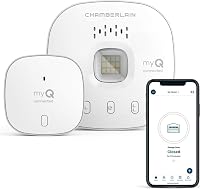
Yes, a compatible controller can add connected features to some existing garage door openers. Match the controller to your exact opener model and safety requirements, then check which functions it adds, since a video keypad, a camera, and a remote-control hub do different jobs.
Does a smart garage door opener work without Wi-Fi?
Smart garage door openers generally retain local wall-control and remote operation without Wi-Fi, but remote app access needs an internet connection. Check your model's manual for exceptions, and remember that battery backup powers door movement during an outage without necessarily keeping your router or connected features online.
Do smart garage door openers need a subscription?
A subscription is not required for every connected feature, so compare the functions you want before choosing a device. The myQ video keypad requires a subscription for advanced AI detection, recorded video history, and enhanced motion detection; decide whether those extras add enough value beyond live viewing and PIN access.