How to Install a Garage Door Opener Keypad
Here's how to install a garage door opener keypad: put the opener in pairing mode, enter a code on the keypad, mount it outside the door, then set your PIN and test the door. Most wireless keypads take about 15 minutes, and the main variable is how your opener enters learn mode.
On this page (8 sections)
- What do you need before you install a keypad?
- How do you pair a keypad with the garage door opener?
- How do you mount the keypad outside the door?
- How do you set and change the keypad PIN?
- How do you test the keypad and the door?
- What should you do when the keypad won't work?
- How do you keep the keypad working long term?
- What's the simplest way to install a garage door opener keypad?
Here's how to install a garage door opener keypad: put the opener in pairing mode, enter a code on the keypad, mount it outside the door, then set your PIN and test the door. Most wireless keypads take about 15 minutes, and the main variable is how your opener enters learn mode.
The keypad itself is simple. The part that trips people up is matching the keypad to the opener's radio and learning steps.
Get that right and the rest is drilling and typing.
What do you need before you install a keypad?
You need a compatible keypad, a fresh battery or wired power, a drill, and your opener's instructions. A stepladder and a helper help with testing the door afterward.
Check compatibility before buying. The Soobool OKP-BX is built for Overhead Door and Genie Intellicode openers.
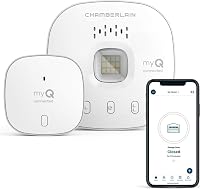
The Chamberlain myQ Video Keypad controls a single LiftMaster, Chamberlain or Craftsman opener made after 1993.
The myQ keypad also needs Wi-Fi and the myQ app for its smart features. A plain wireless keypad needs neither, since it talks to the opener directly.
Have the opener's manual handy. It tells you where the learn button sits or which wall control to press.
That detail decides how the next step goes.
How do you pair a keypad with the garage door opener?
Put the opener into learn mode first, then send a code from the keypad so the two recognize each other. Press the learn button once, or follow the wall-control sequence your manual gives, then enter the keypad's pairing code within about 30 seconds.
Most openers blink or click to confirm learn mode. Enter the code printed in the keypad's manual on the keypad itself.
The opener light usually blinks again when pairing succeeds.
Do this with the garage door fully closed. Soobool says to start with the door closed and to do the program steps quickly so the learn window doesn't time out.
If pairing fails, wait and try again from the start.
A keypad that won't pair usually means the wrong code type for that opener. Overhead and Genie systems, and the myQ keypads, each pair a different way.
Match the keypad to the opener first, then follow that keypad's steps.
How do you mount the keypad outside the door?
Mount the keypad beside the garage door on the trim, about 48 inches up, where an adult can type without stooping. Keep it out of the path of the door and away from direct rain.
Pick a spot near the door but not behind shrubs or where water pools. The keypad needs a clear line to the opener for its signal, so avoid mounting behind metal siding or a brick column.
Drill the pilot holes and fix the bracket with the screws in the kit. Most keypads clip onto the bracket and lift off for battery changes.
Seal the top edge of the bracket with a small bead of silicone if your kit calls for it.
The Chamberlain keypad's battery pack sits inside the unit. A separate power adapter kit is sold for wired power if you don't want to think about charging or replacing batteries.
For wider opener choices and smart features, see our roundup of the best smart garage door openers.
Should you choose the battery or wired myQ keypad?
Choose the battery keypad if you already have a spot picked and don't want to run wire. The wired kit suits a door where you'd rather never touch the battery again.
The battery version weighs 1.3 lb and runs on a lithium ion battery. The wired kit weighs 2.4 lb and adds a power adapter to the box.
Both carry the same wide-angle camera and two-way audio.
Skip the smart versions if you only want a PIN pad and no camera, app, or subscription. A basic wireless keypad like the Soobool costs less and skips the setup in the myQ app.
The smart pair adds app PIN sharing and motion alerts, though advanced detection needs a myQ subscription.
How do you set and change the keypad PIN?
Set a PIN of your own choosing as soon as pairing works. Most keypads walk you through a 4 to 8 digit code right after pairing, and some accept a factory default first.
Pick something you'll remember and won't share too widely.
The Soobool keypad programs through its manual's steps after it pairs. Change the code the same way if you move house or share it too often.
Its Intellicode feature sends a new code each time the door opens, which limits interference from nearby devices.
The Chamberlain myQ keypad handles PINs in the app. Create personalized codes for family, guests, or service providers, and set time-specific passes so a code only works at certain hours or days.
That's handy for a dog walker or a contractor.
Keep a written record in a safe place. Don't reuse your home alarm code.
If you sell the house, clear the PINs before you hand over the keys.
How do you test the keypad and the door?
Test the keypad with the door closed, then open and close it twice to confirm the code works and the door reverses properly. Watch the full travel each time.
Stand back from the door and press your PIN. The opener should respond within a second or two.
If it doesn't, the keypad may be too far from the opener or on the wrong radio type.
Check the safety reverse with a small object on the floor in the door's path. The door should stop and reverse when it meets the object.
This matters more after you've drilled near the door trim.
Clear the area of tools before the final test. Then set the keypad's backlight or auto-lock settings if it has them.
For a plain opener that lacks smart features, our guide to the best garage door openers can help you plan an upgrade.
What should you do when the keypad won't work?
Start with power and pairing. Replace the battery or check the wired adapter first, since a low battery is the most common cause of a dead keypad.
If the keypad lights up but the door won't move, redo the learn step. The code window is short, so press the learn button and type the code without pausing.
Moving the keypad closer to the opener for the test tells you whether range is the issue.
A keypad that works at the door but not from the driveway may be fighting interference. Metal doors, brick walls, and nearby radio devices all cut range.
Chamberlain lists up to 900 feet of range for the myQ keypads, but real range depends on the wall between keypad and opener.
When the opener itself is the problem, check its own safety sensors and manual first. If you're deciding whether a smart opener is worth the upgrade over a plain keypad, our guide to whether a smart garage door opener is worth it lays out the trade-offs.
A garage door opener for heavy doors matters too if your door is solid wood or oversized.
How do you keep the keypad working long term?
Wipe the keys, check the battery yearly, and change the PIN after any guest or contractor has used it. A keypad is a small, exposed device, so a little upkeep goes a long way.
Clean the buttons with a damp cloth and dry them. Avoid harsh solvents that can cloud the plastic.
Soobool says the keypad's clamshell design and waterproof, corrosion-resistant material help it handle weather, but the seal still deserves a look each season.
Replace batteries on a schedule rather than waiting for a failure. For the myQ keypad, the app shows the device and its camera feed, so you can check it's still online.
Wired power removes the battery job entirely.
Review your PINs twice a year. Delete old guest codes and set new time-limited passes as needed.
When you install a garage door opener keypad, the code list is the part that needs managing, not the hardware.
What's the simplest way to install a garage door opener keypad?
The simplest path is to match the keypad to your opener, pair it in learn mode, mount it about 48 inches up, and set a PIN you'll change when guests leave. That order keeps the fiddly radio step in front of the drilling.
Pick the Soobool OKP-BX for an Overhead or Genie opener and a plain PIN pad. Choose the Chamberlain myQ battery keypad for app control and a camera, or the wired kit if you'd rather not deal with charging.
Compare smart options in our roundup of the best smart garage door openers before you buy.
If the door itself needs more power or control, look at the best garage door openers and our pick for a garage door opener for heavy doors. Then test your new keypad twice with the door closed before you call the job done.
Frequently asked questions
How long does it take to install a garage door opener keypad?
Plan on about 15 minutes for a typical wireless keypad. Pairing takes a minute or two, mounting adds a few more, and the rest is setting your PIN and testing the door.
Openers that use a learn button or a wall control panel may add a step or two.
Can you install a garage door opener keypad on any opener?
No. A keypad only works with openers it's made for.
The Soobool OKP-BX covers Overhead and Genie Intellicode models.
The Chamberlain myQ keypads control a single LiftMaster, Chamberlain or Craftsman opener made after 1993, and the myQ app needs Wi-Fi.
Where should the keypad be mounted?
Mount it outside the garage door on the trim beside the door, at a height adults reach easily and out of direct weather. A typical spot is about 48 inches up and within reach of the driveway, so you can type a PIN without stooping.
Do you need Wi-Fi to use a garage door keypad?
No, a standard wireless keypad works without Wi-Fi. The Chamberlain myQ Video Keypad adds Wi-Fi and app control, so set it up through the app if you want remote viewing and PIN sharing.
How do you change a garage door keypad PIN?
Enter your current PIN on the keypad, then follow the programming steps in the manual to set a new one. On myQ keypads you set and change PINs in the app, including time-specific passes for guests or service providers.
Write the new PIN down and test it once.